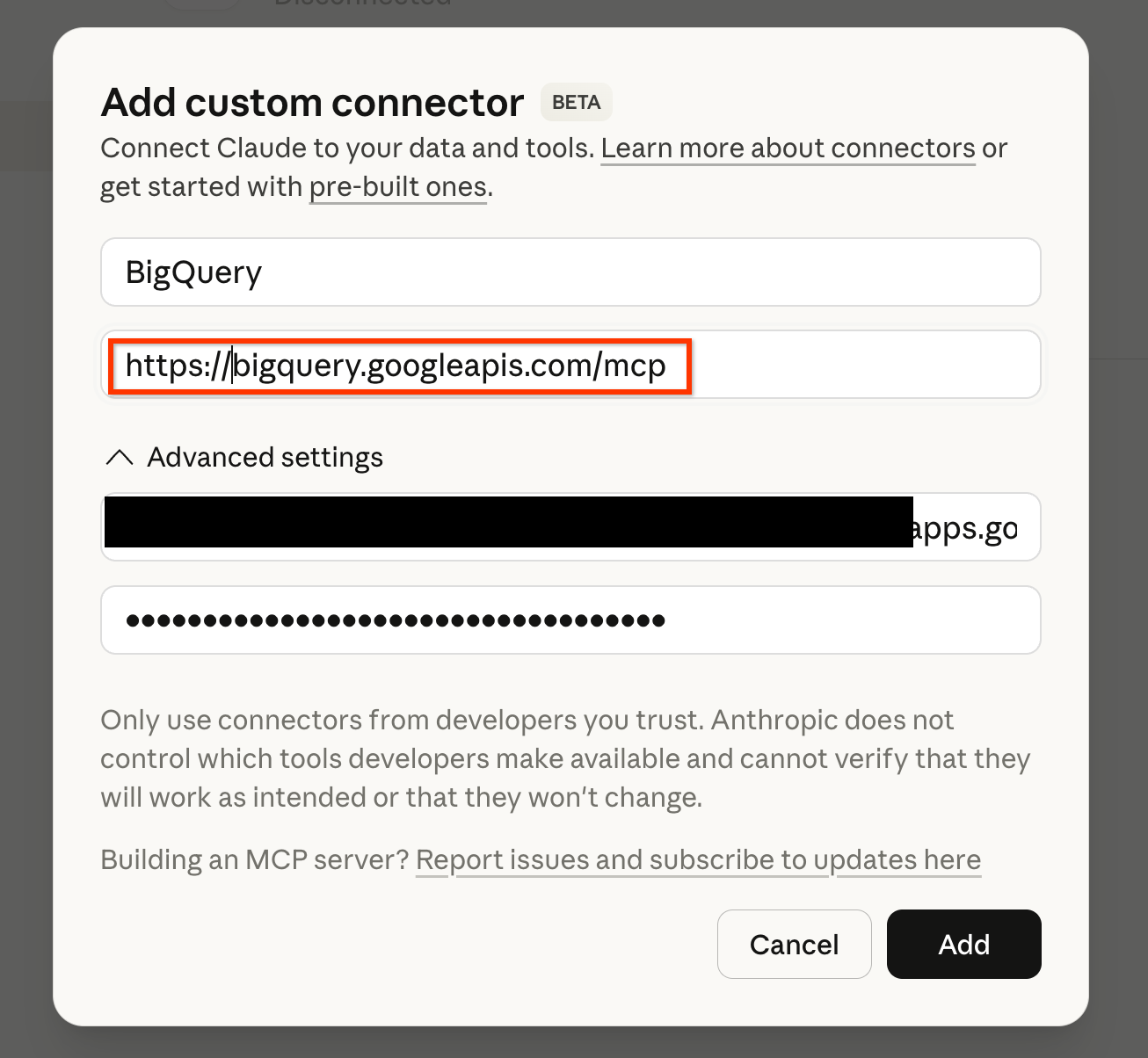
Connect your AI assistant to BigQuery using MCP servers
1Config
→
2BigQuery MCP
→
3CA Agent MCP
→
✓Done
Demo/POC Only: This MCP server is currently at demo/proof-of-concept level and should only be used with test data. Do not connect to production datasets or sensitive information.
Pre-requisites
Premium AI Subscription: Claude AI Pro/Team or ChatGPT Plus/Team subscription required. Free versions do not support custom MCP servers.
Alternative: Limited experience available via Gemini CLI (Gemini App doesn't support custom MCP servers yet).
BigQuery CA Agent: Have one or more BigQuery Conversational Analytics (CA) agents configured in your GCP project.
Important: Make sure your CA Agent has a clear, descriptive description - the AI uses this to decide when to call this tool.
1Required Configuration
Enable Managed MCP Server:
Follow the guide to enable the managed server and confirm you have the appropriate IAM roles:
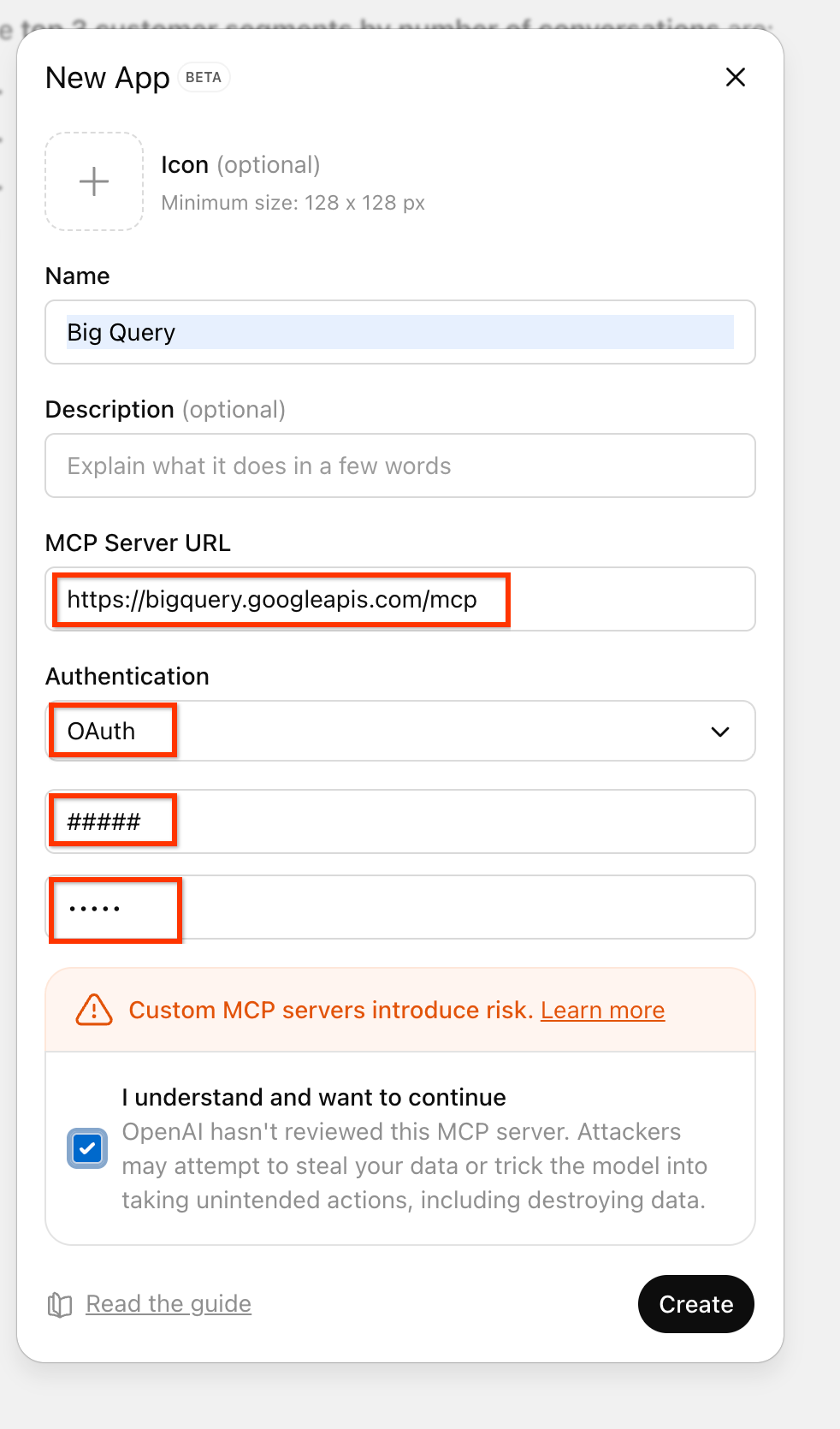
Add a CA Agent MCP server using the same process as Step #2, but with a different URL. You can repeat this step to add multiple agents for different domains.
Generate your CA Agent MCP URL:
Your CA Agent MCP URL:
Enter project ID and agent name above to generate URL
Then: Follow the same steps as Step #2 to add this MCP server to your AI platform using the same OAuth credentials.
You're All Set!
Once configured, you can ask your AI assistant questions about your data, and it will use the CA agent to query BigQuery and provide insights.
How it works:
The AI agent retrieves your CA Agent configuration and metadata using the CA MCP server
The AI agent uses the BQ Managed MCP server to query the relevant tables based on your question
Example prompts:
"What were our top-selling products last quarter?"
"Show me the trend of user signups over the past 6 months"